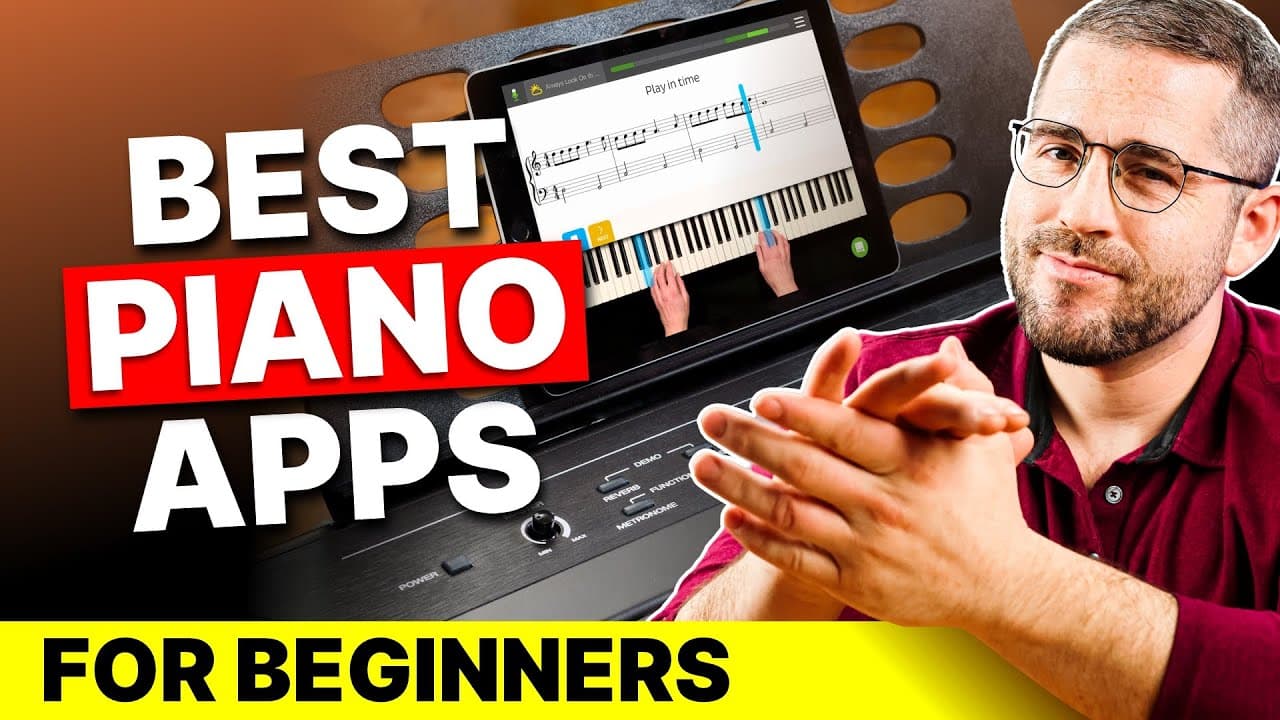
Simply Piano is the best for getting playing fast, Skoove suits learning through popular music, and Playground Sessions is the most gamified and the one we kept longest, but needs a digital keyboard.
- Simply Piano: about $149 a year, works with any piano via the microphone.
- Skoove: $30 for a single month or $150 a year, with 500+ lessons.
- Playground Sessions: $20 a month or $8 a month yearly, with a 14-day free trial and no credit card.
- Playground Sessions requires a digital keyboard; it doesn't work with acoustic pianos.
Some of these are partner links; they cost you nothing extra. How we earn
On this page7 sections
We already play guitar but wanted to learn piano too, so we signed up to a few Android and iPhone apps hunting for the best piano apps for beginners and tried them all. This is a review and comparison of three subscription services we found to be fun and effective: Simply Piano, Skoove and Playground Sessions.
We're an affiliate for most of the companies mentioned, but a recommendation means nothing without an honest opinion, so we cover the downsides too.
Quick verdict
For getting playing quickly, Simply Piano is the easiest to start with. Skoove works well if you want to learn through popular songs and genres like blues, jazz and The Beatles. Playground Sessions is the most gamified, gives the best performance analysis, and was the one we kept the longest, as long as you have a digital keyboard.
Simply Piano: best for getting started fast
Simply Piano is designed for beginners, and it felt like it. We were playing a first song with both hands after about 10 days. It's an Android and iPhone app with a bright, almost cartoonish look; there's no desktop or browser version, but it works with any normal piano or keyboard using your phone's microphone, through a feature that listens and gives instant feedback.
A short quiz sets up your level, goals, taste and preferred way of learning. There's a limited free version with one course. The yearly premium plan was $12.50 a month billed annually at $149, with a free trial and a 30-day money-back guarantee. The first 30 courses cover basics, then you pick theory-and-technique (classical) or chord lessons (pop, jazz, rock). Lessons are game-like, with 5-minute workouts and printable sheet music, and over 5,000 songs, including Disney and classical tracks that unlock as you progress.
Downsides: no metronome, a backing track you can't mute, a Facebook community but no live content, and animations and sounds you can't turn off. Experienced players may find it too simple.
Skoove: best for learning through popular music
Skoove is an AI-powered app that uses popular music to get you playing, while teaching you to read music and play chords. It runs in a browser, on desktop, tablet or phone, and works with acoustic and digital pianos, though not every setup gives the same results, so try the free version, which includes three basic lessons.
Pricing: a single month starts at $30, but the best deal is $150 for the year, about $12.50 a month. There's a 7-day free trial and another 14 days to get a full refund.
There are over 500 lessons grouped by beginner, intermediate and advanced, though you can move through them in any order. Courses on reading music, chords and scales are fine, but the best ones focus on genres like blues or jazz, or artists like The Beatles and Queen. Lessons start by listening and watching, then a teacher's hands appear on a keyboard below while notes scroll above, followed by theory and then playing with real-time feedback on timing, technique and expression. It has a metronome, one- or two-hand practice, and real teachers you can reach via the app or its Facebook community.
Downsides: all songs are simplified arrangements, so it's not for anyone wanting original sheet music, and its library is smaller than Simply Piano's. It gives a good foundation for beginners but isn't comprehensive enough once you know the basics.
Playground Sessions: most gamified, and the one we kept longest
Playground Sessions was co-created by Quincy Jones and endorsed by a number of well-known musicians. It's the most gamified of the three, with bright visuals, constant feedback, ratings, points and a dashboard that tracks completed sections, playing time and note accuracy. It runs on desktop, tablet or mobile but not in a browser, and it doesn't work with acoustic pianos, so you need a digital keyboard (a laptop keyboard works in a pinch, though it's not great for learning).
It's one of the only piano apps offering a free trial without a credit card: 14 days. All plans carry a 30-day money-back guarantee. Pricing is $20 a month, or $8 a month on the yearly plan. There's also a lifetime membership for about $200 once, though access to its library of over 1,000 songs is limited to two years.
Teaching comes from real music teachers through explainer videos, followed by interactive lessons with the best real-time analysis of the three. It has a Boot Camp for foundations, extra courses and a large song library with royalty-free classics you can print for free.
Downsides: the scoring sometimes pulled our attention toward our score rather than the music, and it requires a digital keyboard. We kept this app longer than the others.
At a glance
| App | Price we saw | Works with | Best for |
|---|---|---|---|
| Simply Piano | $149/year | Any piano or keyboard (microphone) | Quick start; kids |
| Skoove | $30/month or $150/year | Acoustic and digital; also in a browser | Learning via popular songs |
| Playground Sessions | $20/month or $8/month yearly | Digital keyboards only | Gamified practice; detailed feedback |
Pros and cons
What works
- All three give real-time feedback and structured beginner paths.
- Free versions or trials let you test before you pay.
- Skoove includes a metronome and covers jazz, blues and pop artists.
- Playground Sessions has the most detailed performance analysis.
What doesn't
- Simply Piano lacks a metronome and its sound effects can't be turned off.
- Skoove's songs are simplified and its library is smaller.
- Playground Sessions needs a digital keyboard, and its scoring can distract from the music.
Frequently asked questions
What is the best piano app for beginners?
Simply Piano is easiest for a fast start, Skoove is good for learning through popular songs, and Playground Sessions is the most engaging if you own a digital keyboard.
Can I use these apps with an acoustic piano?
Simply Piano and Skoove can. Playground Sessions cannot. It requires a digital keyboard.
Are there free trials?
Yes. Simply Piano has a limited free course, Skoove has three free lessons and a 7-day trial, and Playground Sessions offers a 14-day free trial with no credit card.
Filed under
More in Learning Apps
 ReviewPimsleur Review: Is the Audio-First Method Worth It?How Pimsleur's 30-minute audio lessons work, what the research says about app-based learning, what it costs, and who should pick something else.
 ComparisonSimply Piano vs Pianote: Which Should a Beginner Pick?Simply Piano listens to you play and corrects you in real time; Pianote teaches through human video lessons. How they compare on feedback, structure, songs and price, and who should pick each.
 ReviewSimply Piano Review: Can an App Really Teach You Piano?How Simply Piano works, what each plan costs, what the lessons are like, and its drawbacks, from a beginner's point of view.